Start and stop timers
Track time as you work, with a running timer and a daily total right where you need them.

Built for small teams
Keep clients, projects, and time in one place. Useful Timer makes it easy to track work and review the details, whether you work solo or with a small team.
Easy to use. Built to stay affordable.
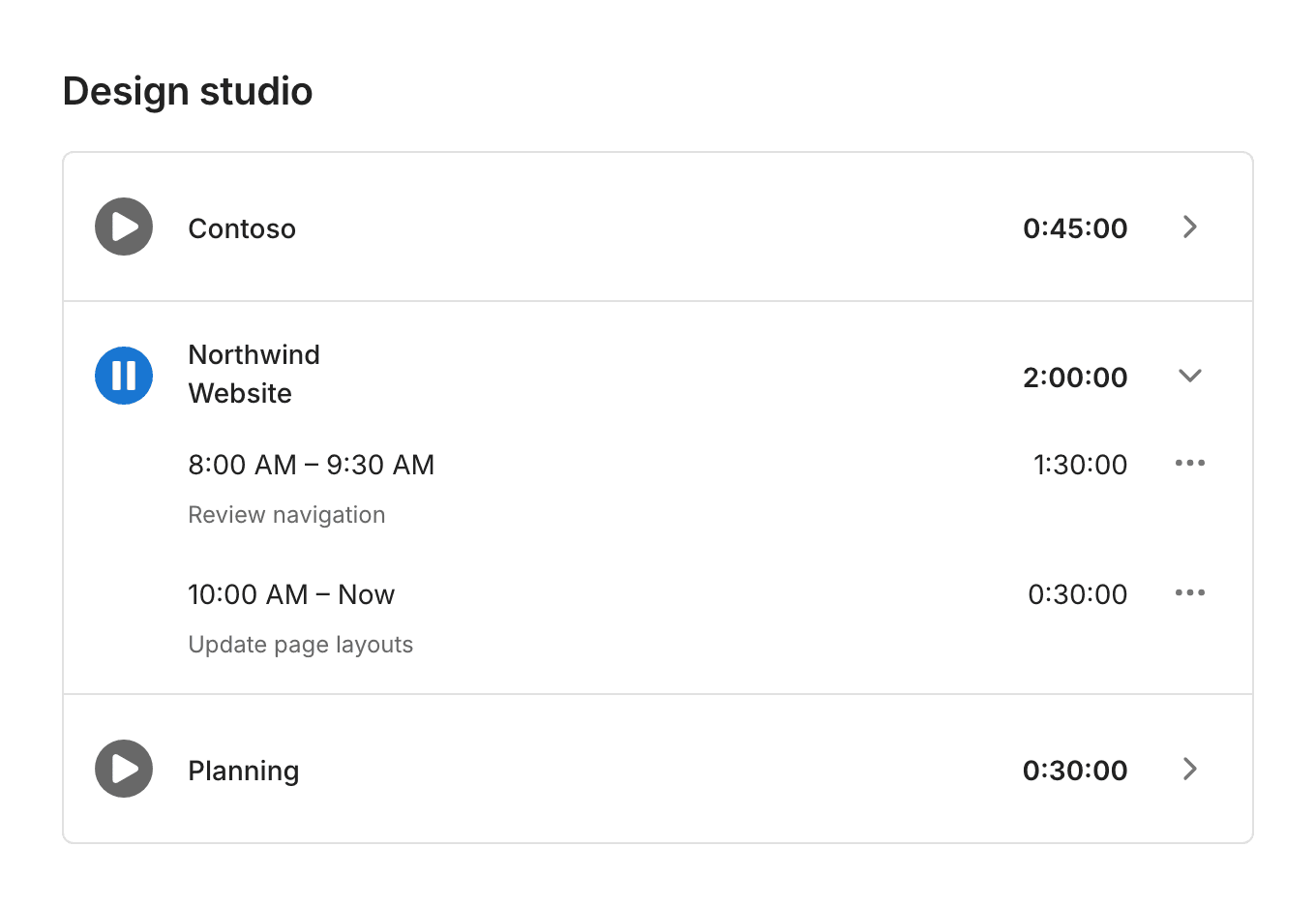
How it works
Set up the work, track your time, and find the details when you need them.
01
Add your clients and organize their work into projects. You can also track a client directly or keep a project independent.
02
Start a timer when you begin, stop it when you’re done, and add a note about the work.
03
Filter entries by client, project, or date. See who worked on what, group time by day, and review completed totals.
The useful essentials
Manage clients and projects, keep accurate entries, and get a clear view of recorded time.
Track time as you work, with a running timer and a daily total right where you need them.
Track a client directly, organize their work into projects, or create a project without a client.
Give each entry context with a note. Add time manually or correct an entry when the details need adjusting.
Filter entries by date, client, or project. Group them by day and see your completed time.
Keep clients, projects, and entries together for your team. See who worked on what, while each person manages their own time.
Review an entry’s history to see what changed, when it changed, and who made the update.
Built around the essentials
Clients, projects, timers, and clear records. A focused workflow for small teams, including teams of one.
Low cost is part of the goal. Useful Timer is being built around the time tracking essentials small teams need.
Keep your timer close with desktop apps for macOS, Windows, and Linux. See timer status in the menu bar or system tray, and manage clients, projects, and records on the web.
Useful Timer for Mac
Start and stop timers in a desktop window, and see your active project and elapsed time in the menu bar.
Version 0.2.0. Requires macOS 13 or later. For Apple silicon and Intel Macs. Open the disk image and drag Useful Timer to Applications.
Requires an internet connection and a Useful Timer account with a password. Create your account on the website, then sign in to the app. Manage clients, projects, and reports on the web.
Frequently asked questions
No. You can create a standalone project, track time against a client directly, or organize a client’s work into projects.
You can add a time entry manually and edit your own entries to correct the start time or duration. An entry’s history keeps a record of the changes.
Yes. Useful Timer is built for small teams, including teams of one. The same clients, projects, and time records work whether you track work on your own or alongside others.
Yes. Filter your entries by client, project, and date range. You can also group entries by day to review completed time.
Integrations are planned for the future. The focus today is simple time tracking, clients and projects, and records that are easy to review. Specific integrations and release dates haven’t been announced.
Keep time tracking simple
Give your team a straightforward way to track work and review the details.
Get Started